Make a web app feel like a native app
by Jack Butcher·Toolbox No. 5·2026-06-25
Free
Toolbox No. 5. The small browser tells that scream "website" — the keyboard that hides the input, the gray tap flash, the wrong keyboard for a code — and how to kill them so a web app feels native.
Tools in this build
Build order
- 01Pin the input above the keyboard with visualViewport
- 02Float the card, inside the safe area
- 03Kill the tap flash, the bounce, and the tap delay
- 04Give every field the right keyboard and code autofill
- 05Self-host the fonts so nothing flashes
- 06Echo every action instantly
The cookbook
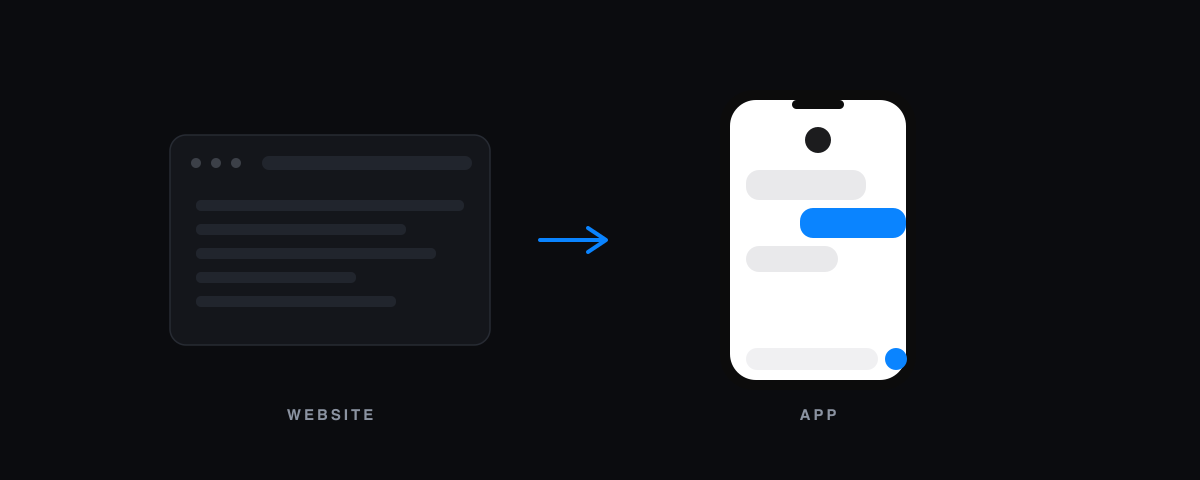
A web app and a native app are built from the same parts. What separates them is a pile of small things the browser does by default that an app never would. None of them is a feature. Together they are the entire difference between "a website" and "an app."
Here is the list, surface by surface, and the fix for each.
The keyboard is the loudest tell
Open a text field on a phone and the keyboard slides up. On a native app the input rides up with it and stays in view. In a browser, the page does not know the keyboard exists. The layout stays full height, the input slides behind the keyboard, and the thing you were reading scrolls away.
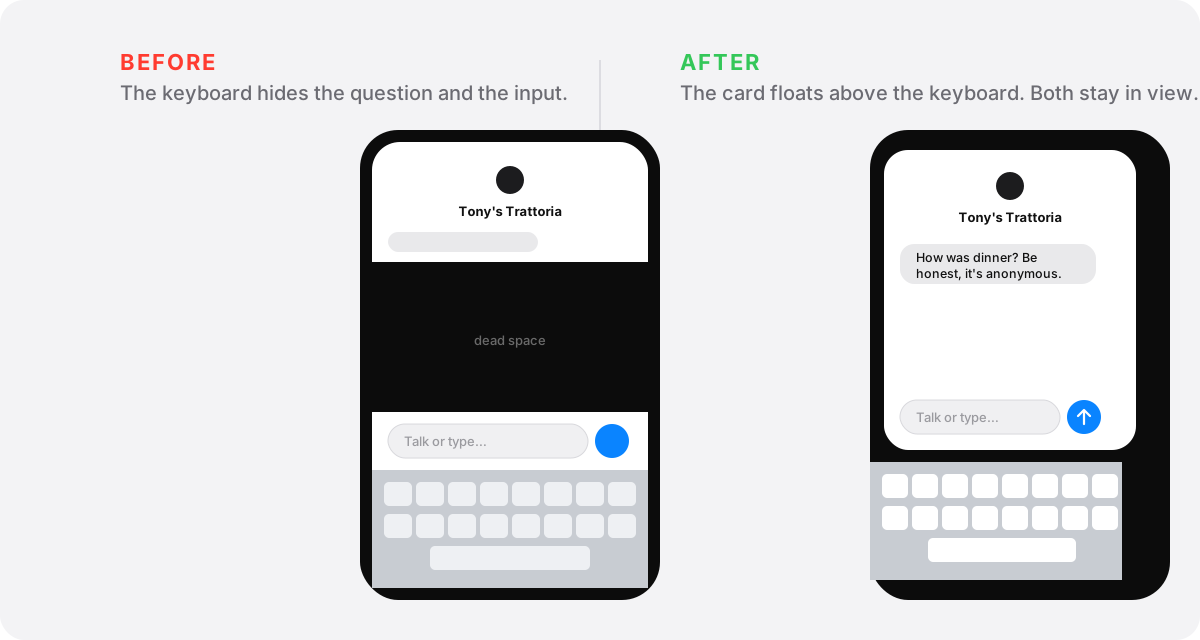
The fix is the visualViewport API. It reports the height of what is actually visible above the keyboard. You pin your view to that, with position: fixed, and the input sits just above the keys instead of behind them. The trap most people hit: setting only the height leaves a tall, scrollable page behind your short view, so the browser scrolls to the focused field and exposes a dead black gap. Pin it, do not just shrink it.
iOS Safari ignores the interactiveWidget viewport hint, so visualViewport is the only thing that works there. Test it on a real iPhone. Desktop dev tools have no keyboard, so they will tell you it works when it does not.
Float it, inside the safe area
Once the view is pinned, give it a margin and round the corners. A full-bleed rectangle reads as a web page. A floating card with breathing room reads as an app.
Then respect the hardware. The notch and the home indicator are real estate you do not own. env(safe-area-inset-top) and its siblings tell you how much to inset so nothing tucks under the notch or the bar. Fall back to your float margin when the insets are zero, so a square phone still floats.
The thousand small tells
These are invisible one at a time and obvious all together. Most are one line of global CSS.
- The gray box that flashes on every tap:
-webkit-tap-highlight-color: transparent. - The rubber-band bounce and pull-to-refresh:
overscroll-behavior: noneon the page,containon inner lists so they do not chain. - The 300ms delay and double-tap zoom:
touch-action: manipulation. - The long-press menu on every button and image:
-webkit-touch-callout: none. - Mobile text inflation on rotate:
text-size-adjust: 100%. - Selectable button labels: turn
user-selectoff on chrome, leave it on for real text.
While you are in the head, set theme-color to your background so the browser bar blends in, add a manifest and the Apple web-app tags so add-to-home launches fullscreen, and switch the body from 100vh to 100dvh so it stops guessing.
The keyboard should match the field
A text keyboard for a numeric code is a small insult repeated every login. Tell each field what it holds.
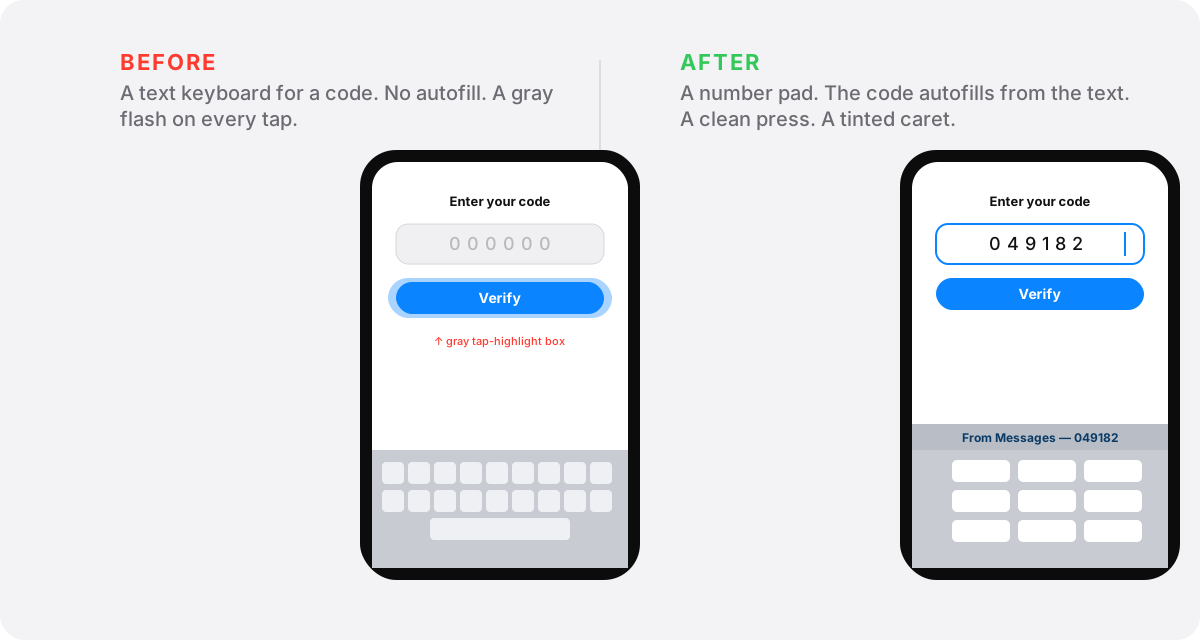
Set inputMode and type so an email opens the email keyboard and a code opens the number pad. Turn autoCapitalize, autoCorrect, and spellCheck off where they fight the user, like emails and codes. Set enterKeyHint so the return key says the right word.
The one that feels like magic: autocomplete="one-time-code" on a verification field. The phone reads the incoming text and offers the code above the keyboard, one tap to fill. People assume that is a native-only trick. It is one attribute.
While you are there, tint the caret to your accent color. Native controls are tinted. Yours should be too.
Read the rest
The prompt and the full workflow are below.
Drop your email to read this cookbook end to end, and get the next one the day it goes up. One email per piece. No noise.
Free · never sold · reply “enough” to stop