A handwriting font, made from a marker and ImageMagick
by Jack Butcher·Toolbox No. 4·2026-06-20
Free
Toolbox No. 4. The Economy of Words wall is set in Jack Butcher's actual handwriting, with no font software. Here is how a photo of an alphabet becomes a typeface you can set, recolor, and animate anywhere.
Tools in this build
Build order
- 01Write the alphabet by hand, a few times over
- 02Photograph the sheet
- 03Cut every letter out automatically with ImageMagick
- 04Clean the strays and save each as a mask
- 05Set type with CSS masks, or render images for posters and gifs
The cookbook
Every word on the Economy of Words wall is written in a real hand, drawn once with a marker and turned into a typeface. No font editor, no FontForge, no vector software. A photo of an alphabet, a handful of ImageMagick commands, and a little CSS. This entry takes the whole thing apart.
What we made
Economy of Words is a wall of words you buy by the letter. We wanted it to feel handmade, not typeset, so the letters are an actual handwritten alphabet. The same set now renders the scrolling wall, the square artwork for every word a person owns, a rotating gif of a hundred words, and downloadable banners. One alphabet, drawn once, doing all of it.

The trick is that you do not need to make a "font" in the technical sense. You need a picture of each letter, and a way to place pictures in a row.
The idea: a font is just letters in order
A font feels like a special, hard thing. It is not. For our purposes a font is twenty-six small images, one per letter, plus the knowledge of how wide each one is. To set a word, you place those images side by side. That is the whole model. Everything below is just getting clean letter images out of a photo and then laying them down.
Because each letter is its own image, you keep the wobble of a real hand. Nothing is smoothed into a perfect curve. The flaws are the point.
The stack
Four pieces, all free, nothing exotic.
1. A marker and paper
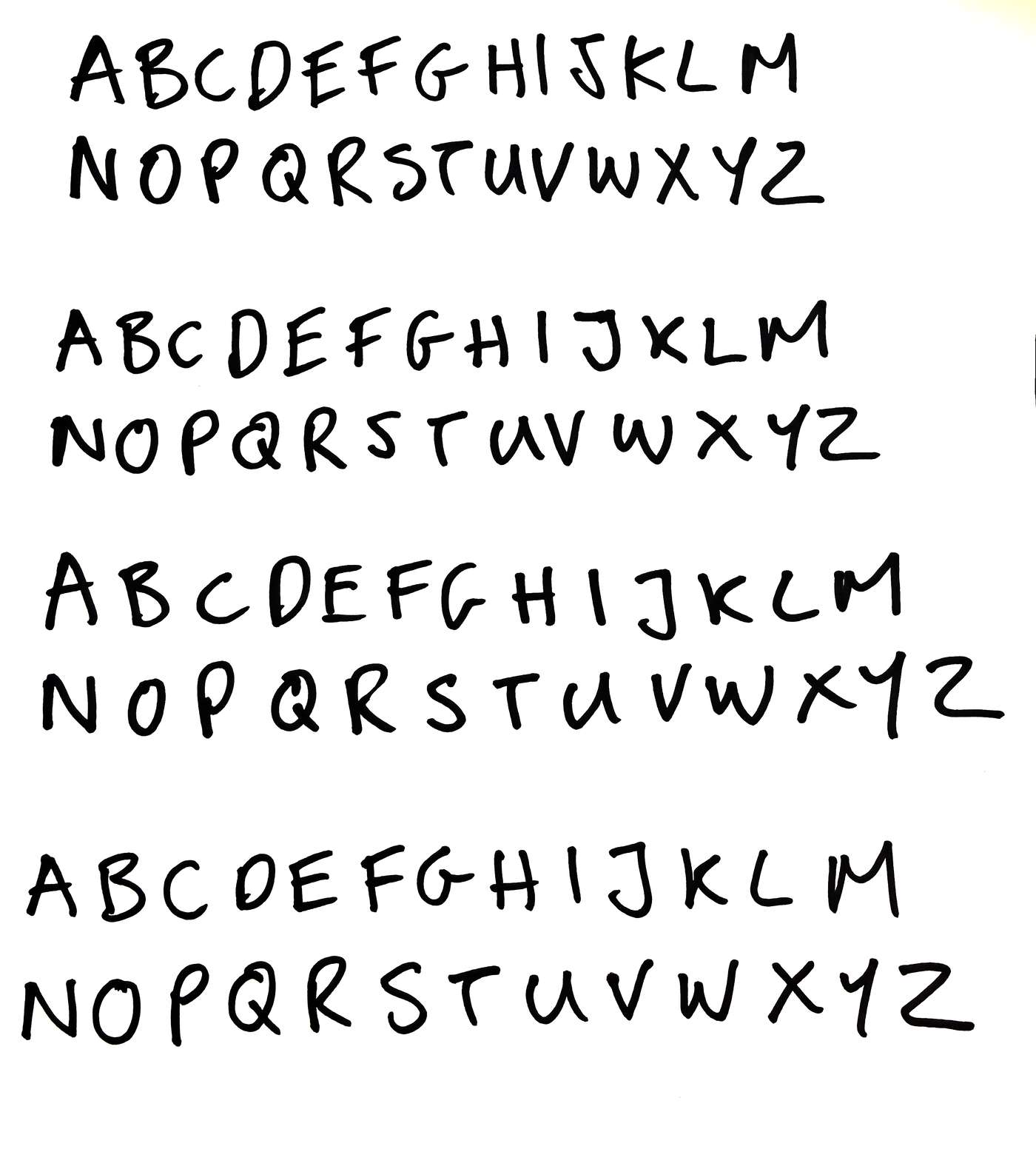
Write the alphabet, A to Z, in capitals. Then write it again. And again. We did it four times across one sheet. Those repeats are not waste, they are the secret to it not looking like a font, which we will come back to.
2. A phone camera
Photograph the sheet in even light. It does not need to be a real scanner. The next step cleans it up.
3. ImageMagick: cuts the letters out
ImageMagick is an image tool you drive from the terminal. It does two jobs here: find every letter in the photo, and save each one as its own clean image.
Finding the letters is the good part. ImageMagick can label every separate blob of ink in an image, a feature called connected-components. You make the photo pure black and white, ask for the blobs, and it hands back the bounding box of every letter:
magick sheet.png -colorspace Gray -threshold 55% -negate \
  -define connected-components:verbose=true \
  -define connected-components:area-threshold=150 \
  -connected-components 8 null:
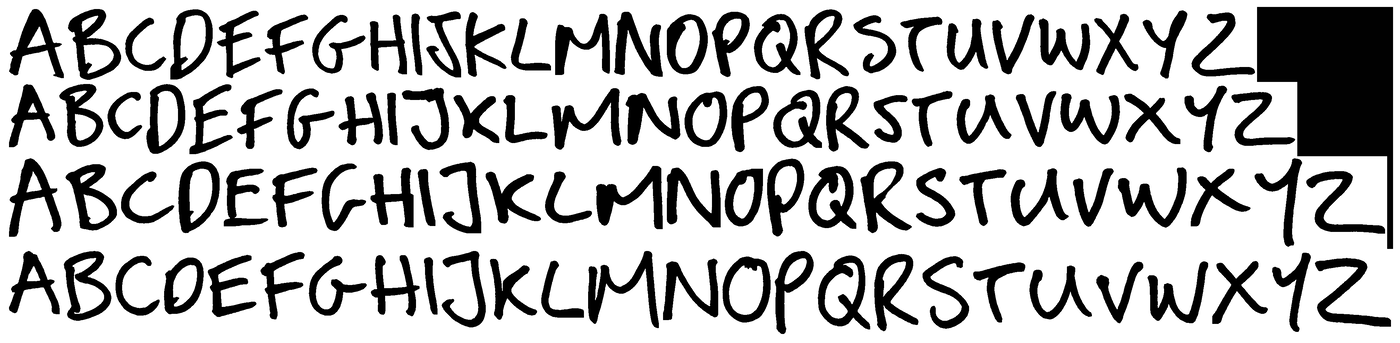
That prints one line per letter with its position and size. From there it is bookkeeping: sort the blobs into rows top to bottom, sort each row left to right, and you know which blob is A, which is B, and so on. A hundred and four letters (four alphabets of twenty-six) fall out in order.
Real handwriting leaves stray specks, a dot of ink, a comma where the pen lifted. Those show up as tiny extra blobs. You drop anything far smaller than a letter and keep the main stroke:
magick letter.png -alpha extract -threshold 50% \
  -define connected-components:area-threshold=1000 \
  -define connected-components:mean-color=true \
  -connected-components 8 \
  -alpha copy -fill black -colorize 100 cut.png
Each letter is saved as a mask: the shape of the ink with a transparent background. A mask, not a colored picture, because a mask can be filled with any color later. That one decision is what lets the same alphabet be white on the black wall and black on a white artwork.
4. CSS and Canvas: set the type
Now you place the letters. Two ways, depending on where.
On the website, each letter is a CSS mask filled with the current text color. The browser paints the color through the letter-shaped hole:
<span style="
  -webkit-mask-image: url(/hand/cut-02/A.png);
  mask-image: url(/hand/cut-02/A.png);
  mask-size: 100% 100%;
  background: currentColor;
  display: inline-block;
  width: 0.62em; height: 0.84em;
"></span>
Set currentColor and every letter follows. Add a degree or two of rotation per letter, nudge the baseline up or down a touch, and a line stops looking like a font and starts looking written.
For things that are not live web pages, posters, the rotating gif, the downloadable banners, you render images instead. Same masks, composited in a row with ImageMagick or drawn onto an HTML canvas, scaled to fit, saved as a PNG. The banner a holder downloads is just their words, drawn letter by letter onto a 1500 by 500 canvas, white ink on black.
Read the rest
The prompt and the full workflow are below.
Drop your email to read this cookbook end to end, and get the next one the day it goes up. One email per piece. No noise.
Free · never sold · reply “enough” to stop